User Guide
This guide shows you how to use the Filter Plant Calculator, highlighting those parameters that you need to input and the outputs that the calculator will produce for you. It guides you through the workflow, so you can use it to produce a report for download with confidence.
If you are not familiar with filtration technology, or the types of filter in the calculator, then it is best to start with start by reading Dewatering of Tailings. 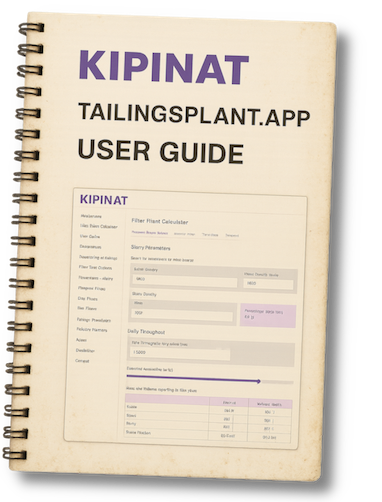 While you can input assumed or estimated values, and the calculator does include some comment on sensible default values, we recommend strongly that you work with values that you get trusted from references, experts or, best of all, from test work. See Parameters - Slurry for information on how to use lab testing, then the specific pages for Pressure Filters, Disc Filters, Belt Filters.
Designed for scoping, scenarios, preliminary sizing and/ or sense-checking. As your project develops towards design and construction, you will require a professional campaign of test work on as wide a range of slurry conditions as possible
Quick start
The calculator has 5 main steps, each one on a separate tab, it is best to start on the left and work through these tabs.
- Process Design Criteria
- input Slurry Parameters and Daily Throughput.
- Validate Filter
- input Filtration Parameters and establish a Specific Capacity (per m2) for the selected filter type and the inputs used.
- Filter Plant
- Input information about the filter you are investigating and find the Filtration Area of a single filter unit
- find the number of such units needed for the throughput entered above
- Water/ Cake
- Set the Filter Cake Moisture Check the water balance and maximum achievable Water Recovery
- investigate Cake Phase Volumes in a table and chart.
- Download/ Reset
- Enter a Title, further Comments and Download your report.
- Reset Calculator if you want to start afresh.
Tips
If a field highlights in red then it’s outside the supported range. Adjust inputs; the helper text will guide you.
All of the calculations that this tool makes are TRUE, but it is important that the inputs are realistic: You can use experience or parameters from the literature for your inputs to the tool, but if you have any sample of your tailings slurry then we recommend that you undertake some test work.
Tabs & key actions
Here we describe each of the tabs in more detail.
- Process Design Criteria
The purpose of this tab is to establish a simple set of Design Criteria for your case. These are then used later in the calculator.
There are two main components and an input box for comments, if wish to record them in the PDF Download:
- Slurry Parameters choose one variable to solve for (Solids density, Liquid density, Slurry density, or Percentage solids). The chosen one becomes a calculated output while the other three are inputs.
- Daily Throughput: enter daily throughput and expected availability. The tool shows Required Hourly Capacity for the plant and fills a mass/volume table (solids, liquid, slurry).
- Comments for Report: Capture any design assumptions or references, for example to comment on the slurry parameters used.
Tips
When you changing any input, all dependent results change throughout the calculator.
Capture your thoughts, and give detailed references (source, dates, report numbers, test campaign number etc.) in the Comments fields throughout so the PDF tells the story later. It may be that you, or a colleague, will revisit your calculator results many months later. (Weblinks will work here as well, for example to datasheets or videos.)
- Validate Filter
In this tab you can investigate one of four filtration types and establish a specific capacity (i.e. the throughput per m2 per hour) that will be used later in the calculator workflow.
- Click the Filter Type button and select the technology type that you are investigating, either Filter Press, Disc Filter, Belt Filter or Tower Press. A short description and schematic will then show.
- Enter type-specific parameters, for example cake thickness, porosity and a key cycle-time/speed parameter per type.
- The summary table confirms your selections and produces a specific capacity by calculating the total volume of filter cake per hour and then using the Porosity and Solids Density.
- Comments for Report: For example to highlight the source of inputs (say laboratory test, experience, literature or a sister plant).
- Filter Plant
Here, you enter dimensional parameters for a particular filter — you can get these from vendors’ specification-sheets, for example. The total filtration area of this filter, multiplied by the Specific Capacity that you established in the previous tab gives the hourly capacity of that machine.
- For Filter Press and Tower Press, choose which quantity to solve for (machine filtration area, chamber depth, or total chamber volume) and enter the other two
- for Belt / Disc Filters enter the two inputs (i.e. for Belt: length and width; for Disc: area per disc and number of discs).
Results include per-unit capacity, and buffer.
- The table mirrors your filter type and presents the key Plant Capacity parameters for for comparison, including per-unit capacity, units required, maximum plant throughput, and buffer capacity (the percentage tonnage above the requirement that the calculated number of units required would deliver).
You’ll see warnings if cakes are unrealistically thin/thick, or if operating speeds/geometry push the limits.
- Water/ Cake
If you have measured a filter cake moisture in laboratory test work, or wish to explore scenarios around cake moisture then you can use this page to establish the Maximum Percentage Water Recovery and produce a phase-volume chart for the filter cake. The main components of this page are:
- Cake moisture slider: explore moisture within a sensible range (the upper limit is for the fully-saturated condition: all of the pores in the cake filled with water)
- a KPI card showing Maximum Water Recovery, the percentage of water from the slurry feed that passes to filtrate at the cake moisture you give
- Note that this is the Maximum possible, and cannot account for overall water consumption, as this is affected by, for example: cloth wash water, flushing/ cleaning water, pump (vacuum/ pressure) seal water, losses to leakage, evaporation etc.
- a stacked bar Chart: showing percentage volumes for the Solids, Liquid and Air phases.
- a Table: Summarising cake phase volumes and showing the (derived) cake bulk density (note that this is for an undisturbed piece of filter cake, and in practice, cake does not stack perfectly).
- Download/ Reset
- Fill in Project reference, Author, Date, Objectives.
- Click Download PDF to export a timestamped report of the current session.
If the report fails to generate for you, check for invalid inputs (red fields) or re-try after a small change.
- Inputs and text comments persist in your browser’s local storage.
- Reset Calculator clears all saved state and restores defaults.
Units & conventions
| Parameter | Units | Comment |
|---|---|---|
| Densities | kg m-3 | this can be for solids, liquid or slurry densities |
| Slurry solids | % w/w | percentage (by weight) of solids in the slurry |
| Mass Throughput | tph | tonnes per hour |
| Availability | % | percentage of calendar time that the filter plant operates |
| Volume flow | m3h-1 | metres cubed per hour |
| Cake Thickness | mm | |
| Cake Porosity | % v/v | volume of voids to total cake volume. |
| Cycle time | min | The total cycle time for a Filter Press 1. |
| Forming/ Drying time | s | For a Belt Filter, the time from slurry arriving on the belt to cake discharge |
| Disc Speed | rpm | total time for a Disc Filter to make one complete rotation |
| Belt Speed | m s-1 | so that the belt length divided by the speed gives the total forming/ drying time |
| Specific Capacity | kg(m2h)-1 | kilograms per metre squared per hour |
| Areas | m2 | for example filter press area or area per disc |
| Lengths | m | for example belt width and length |
| Cake Moisture | % w/w | mass ratio of water in cake to total cake mass see note 1. |
| Water content | % | (geological) water content, the mass ratio of water to solids mass see note |
| Maximum Water Recovery | % | water recovery from feed to the filter plant to filtrate see note 2. |
.1. This total time includes both the process stage duration (filling, filtration, pressing, air-drying) and technical stages (plates opening/ closing, valve operations, pressure release, cloth cleaning). The process stage durations are fairly independent of the machinery, whereas you will need to know the total technical stage duration.
.2. Assuming no losses and not accounting for the water used for the plant to operate (pump seal water, cloth cleaning etc.)
Troubleshooting
- I can’t edit a field I need. It’s probably the one you selected to solve for. Pick a different target, then edit.
- Red outline / helper text. The value is out of supported range; adjust into range to unlock results and PDF export.
- Results look stale. A browser refresh should re-compute. If odd behavior persists, use Reset on the Download tab and re-enter inputs.
- PDF didn’t download. Ensure all required inputs are valid, then re-try. Pop-up blockers can also interfere.
References
We have assumed that most of the terms in the calculator will be familiar to you. If not then we recommend that you take the time to investigate. Reference books include Solid-Liquid Filtration: 
For a more in-depth view on filtration there is Tarleton and Wakeman’s Solid/Liquid Separation: Equipment Selection and Process Design: